Everything You Need to Know About Your State CPE Requirements for Your CPA License

This is your sign to keep your CPA License active!
You Passed All 4 Sections of the CPA Exams
You did it! You survived the late-night study sessions, the mental breakdowns, and the emotional rollercoaster of the CPA exam. Once you pass all 4 sections of the CPA exam, it’s finally time to apply for that shiny CPA license and make it active!
But here’s the thing nobody talks about enough: passing the exams is only the beginning. To keep your CPA license active, you need to stay on top of your Continuing Professional Education (CPE) requirements. And trust me, the last thing you want after working so hard is to let your license expire because you forgot to track your credit hours.
what IS CONTINUING PROFESSIONAL EDUCATION (CPE)?
CPE stands for Continuing Professional Education, which is basically ongoing education requirements CPAs need to maintain their license. Think of it as keeping your accounting knowledge fresh, updated, and compliant.
In the U.S., most states require 80 credit hours every 2 years or 120 credit hours every 3 years to renew your CPA license. Requirements vary depending on your state, so always double check with your state board of accountancy.
For example, I’m based in California, where the requirement is:
80 credit hours every 2 years
Typically completed as:
40 credit hours in Year 1
40 credit hours in Year 2
Breaking it up yearly makes it SO much more manageable instead of panic-completing 80 hours at the last minute - iykyk lol!
The CPE Tracking System That Keeps Me Organized
If there’s one thing I recommend every CPA do immediately, it’s create a CPE tracker.
Because if you ever get audited by your state board, you’ll want all your information organized and ready to go.
Here’s exactly what I track:
Course name
Date completed
Credit hours earned
Running total of completed credit hours
Certificate of completion saved in a folder
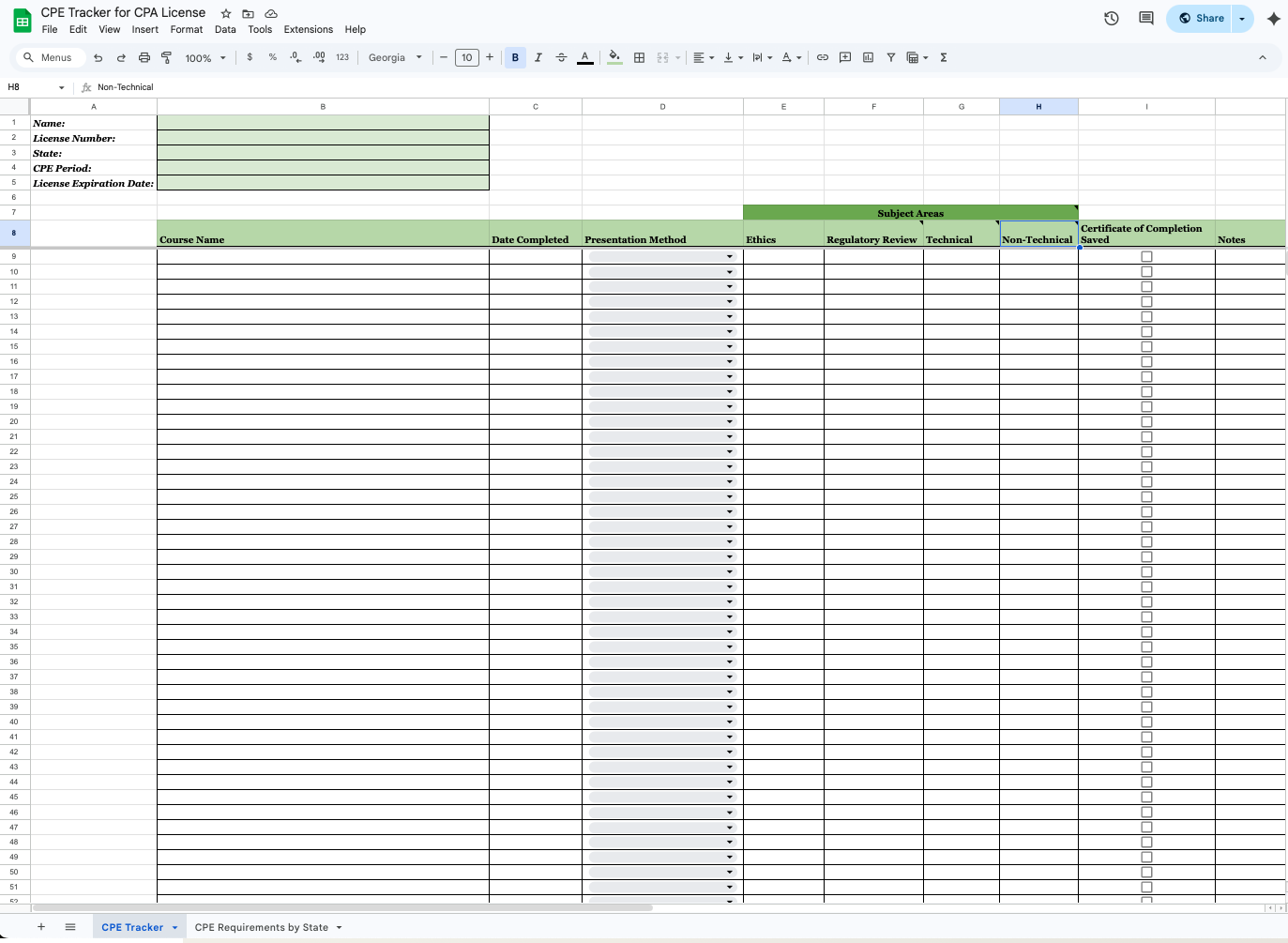
CPE Tracker for CPA License I use that you can download in my U.S. CPA License Guide
I personally update my tracker every single time I complete a course so I’m never guessing how many hours I still need. It’s honestly one of those “future you will thank you” systems. You can download the exact CPE Tracker I use in my U.S. CPA License Guide.
My Favorite Way to Complete CPE Credits
For my CPE courses, I personally use Becker CPE because it makes the entire process so easy.
What I love about it:
Live webinars if you like structured learning
Self-study courses for busy schedules
Tons of accounting, tax, audit, and professional development topics
Easy-to-track completion certificates
Whether I’m super busy with work, content creation, or life, I can always find something that fits my schedule. And yes, I have a special discount for Becker CPE too linked here.
Don’t Overcomplicate CPE
CPE doesn’t have to feel stressful or overwhelming.
The biggest things that help are:
Stay organized with a CPE tracker
Use a CPE platform you actually enjoy using
Track your credit hours as you complete them
Save your certificates of completion
Don’t procrastinate your renewal deadline
Because let’s be real… you didn’t pass the CPA exams for nothing.
Want Help Figuring Out Your State’s CPA License Requirements?
If you’re looking for a simple breakdown of CPA license requirements across the U.S., download my U.S. CPA License Guide.
Inside the U.S. CPA License Guide, I share:
How to apply for your CPA license
How to renew your CPA license
State-by-state CPE requirements
My personal CPE tracker
Tips for staying organized and compliant
If you’re based in California, you can download my California CPA License Guide where I share how to apply/renew your CPA license, General vs. Attest Licenses, step-by-step breakdown of how to fill our the renewal application, and more!
Whether you’re newly licensed or already working as a CPA, this guide makes the entire process way less confusing and way more manageable. Comment below what state you are a CPA in!